Help Center
A space designed to bring clarity and ease to your experience. This Help Center is here to guide you through our process, answer common questions, and help you feel fully supported as we document your story.
Client Download Experience
Your images and films are delivered through a private gallery, designed for effortless viewing and downloading. From your Collection, you can download files directly to your device or save them to Google Photos or Dropbox for easy access and sharing. You may see different download options, including various file formats, resolutions, and video files. This guide will walk you through how to download your images and videos from your Collection with ease.
Photo Gallery Downloads
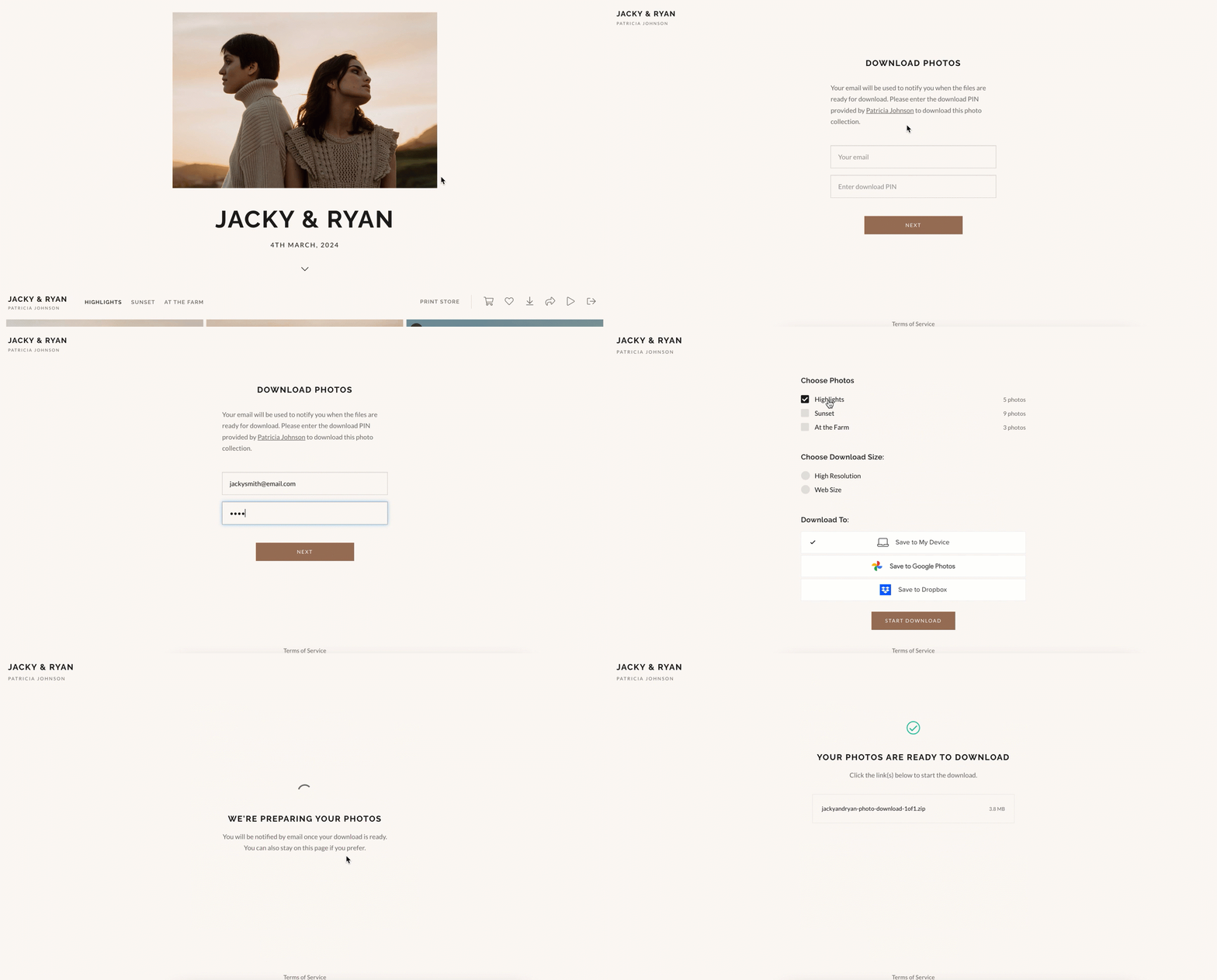
At the top right of your Collection, you’ll see a download icon. To download your images:
- Click the download icon in the top-right corner of the gallery
- Enter your email address and download PIN (if required)
- Select the Sets you’d like to download, choose your preferred resolution, and confirm your delivery method
Once confirmed, your files will begin downloading or will be delivered based on the option you selected.
Single Photo Downloads
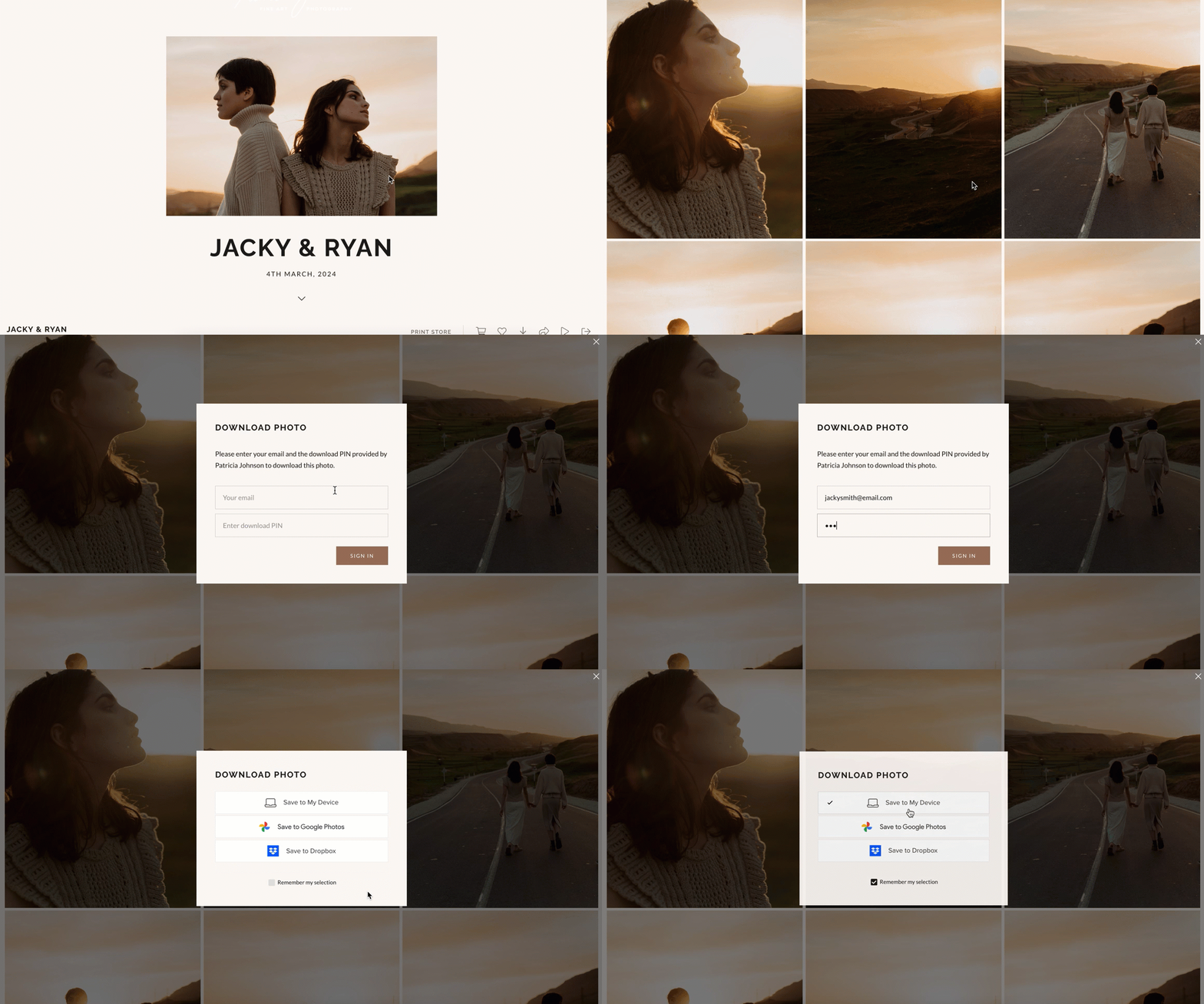
Our client/collection visitors have the option to download individual photos. From the gallery, you can:
- Click the download icon on any photo
- Enter their email address
- Confirm the desired resolution and the delivery method, and choose to remember this selection if you will be downloading multiple photo
Video Downloads
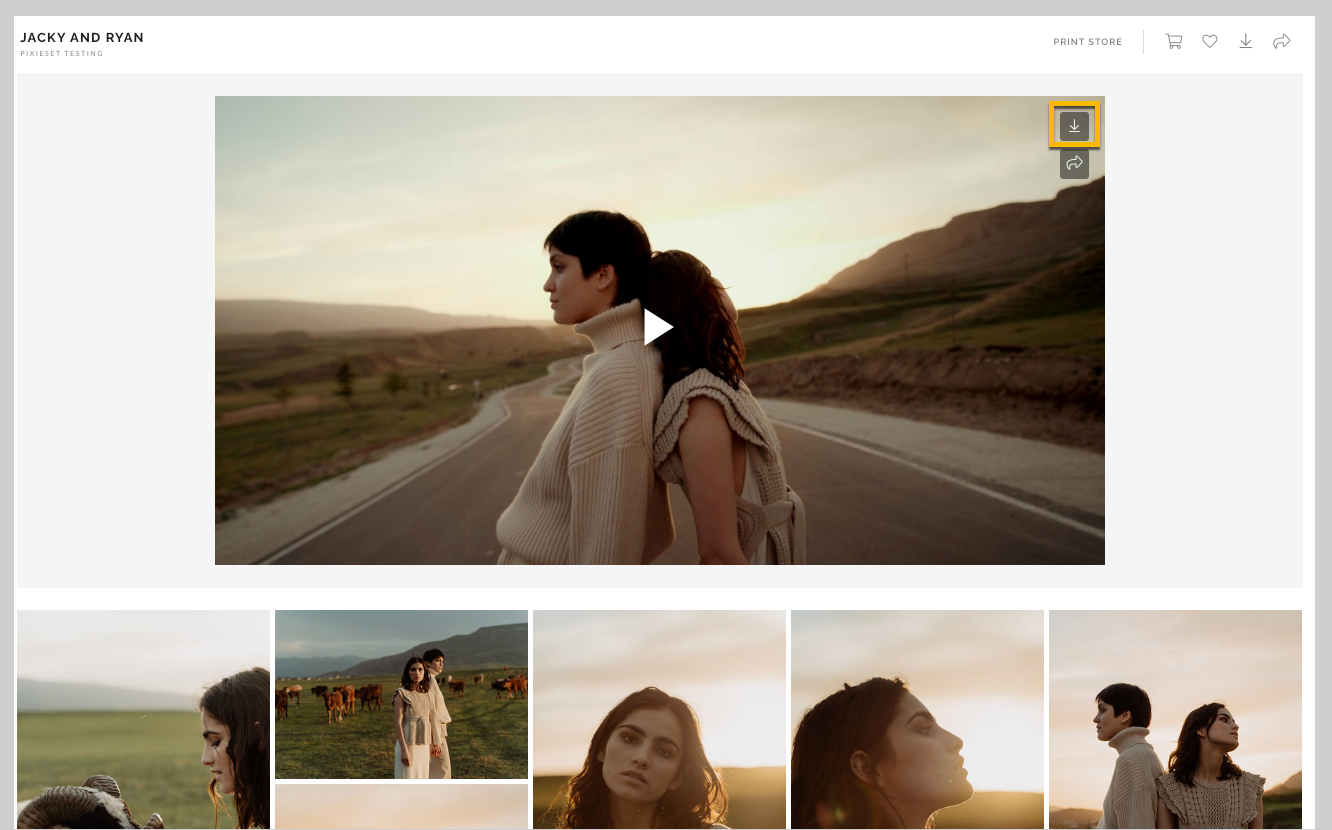
You’ll be able to download your films directly from your Collection. Videos are delivered in high-quality MP4 format at the highest available resolution (up to 4K). To download a video:
- Click the download icon on the video
- Enter your email address
- Download the file directly to your device
For the best experience, we recommend downloading videos over a stable internet connection and saving a backup once completed.
Downloading photos to mobile devices
Gallery Downloads
Gallery downloads provide the entire Collection as a single download. This can be delivered either as a .ZIP file or by using one of the supported cloud-based services listed below (Google Photos or Dropbox). If you choose to download directly to their device, a direct download link will be sent to the email address you provide so that you do not need to wait on the same page while the download link is generated.
For .ZIP downloads, the file will be delivered to your device, and from there you can extract the image files. How to do this will vary depending on you[ device.
Initiating a Full Gallery Download
To initiate a gallery download, you can:
- Click the More menu (•••) > Download
- Enter their email address
- Select from the available Sets to download and choose the preferred resolution
- Choose the download location (My Device, Google Photos, or Dropbox)
Single Photo Downloads
Single photo downloads allow you to download individual photos from the Collection. These files can be downloaded directly to your device, or by using one of the supported cloud-based services listed below (Google Photos or Dropbox).
You can enter their email address to initiate the first download. You will not be required to re-enter this information for subsequent single photo downloads.
Initiating a Single Photo Download
To initiate a single photo download, you can:
- Open any photo in the enlarged view and click the Download icon
- For the first download, enter your email address (if required)
- Select the preferred resolution
- Choose the download location (My Device, Google Photos, or Dropbox)
Downloading to Google Photos or Dropbox
You can also choose if you would like to download your photos to a cloud service - both Google Photos and Dropbox are supported. You can simply select your preferred service while downloading. Doing so will prompt you sign in with your existing credentials, and add the photos to your Google Photos/Dropbox account!
Can't find what you're looking for?
Send us a message. We'll get back to you within 24 hours.